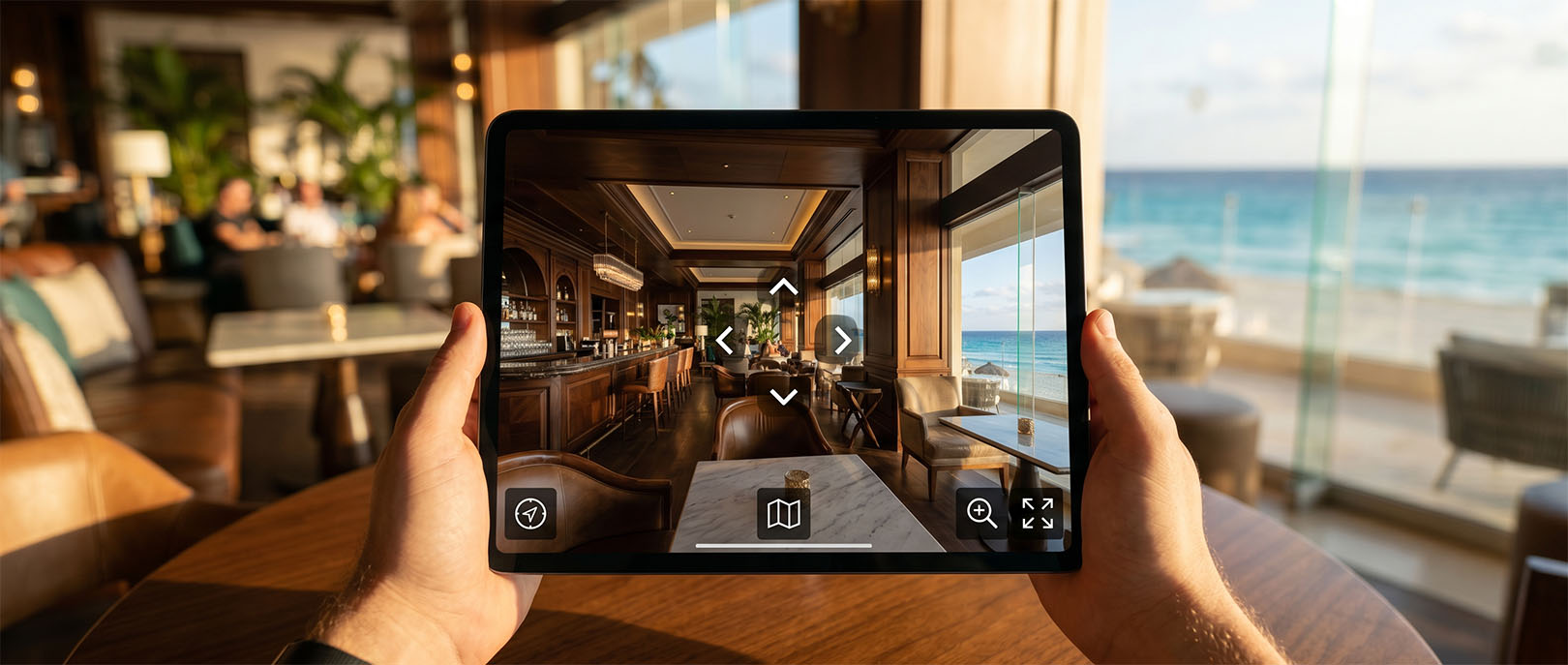
In the local SEO ecosystem of 2026, the question is no longer "how do I get more reviews?" — reviews are still important, but they're no longer the only differentiator. The question that matters now is: "what does my Google Maps business profile do to hold a user's attention longer than my competitor's does?"
Google has spent years refining its local search algorithm around three pillars: relevance (how well does the profile match the search?), distance (how close is the business to the user?) and prominence (how well known and respected is the business in its area?). What has changed in 2025–2026 is how Google measures prominence: increasingly through behavioral signals — the time users spend exploring the profile, the clicks they generate to the website, "directions" and "call" actions, and engagement with the profile's media content.
When it's properly integrated into the Google Business Profile, the 360 tour is the media content that generates the most exploration time on a business profile — more than static photos, short videos and post updates. That sustained attention translates into positive behavioral signals that the local algorithm reads as evidence of relevance.
How the local search algorithm works in 2026
Google's local search algorithm runs on a different infrastructure from the general web search algorithm. While PageRank and backlinks still matter for organic web search ranking, the local algorithm has its own weighting factors, with the most weight on:
- Business profile completeness. Profiles with every field filled in — categories, hours, attributes, description, up-to-date photos — receive stronger quality signals than incomplete profiles.
- Frequency and recency of interactions. A profile that regularly receives reviews, owner responses and updates is perceived as more active and trustworthy than a static one.
- User behavior signals. Click-through rate (CTR) from search results, time spent on the profile before taking an action, and conversion rate to contact actions (calls, directions, website visits).
- High-quality media content. The volume and quality of photos and videos influence how relevant the profile is perceived to be. Google has started penalizing profiles with low-resolution photos or irrelevant images.
The 360 tour acts directly on the last two factors: it's the media type with the highest attention retention available on a Google Business Profile, and it generates the strongest behavioral signal — a user who actively explores the space for 2–5 minutes is highly engaged with the profile, and that signal carries weight in the algorithm.
Measured on business profiles in Cancún and the Riviera Maya, comparing the 90 days before and after the 360 tour was integrated. The increase combines the effect of greater retention on the profile with a more persuasive visual presentation that turns exploration into action.
Street View vs. a self-hosted tour: which has more impact on local SEO
This is the question we hear most often from businesses that already know the 360 tour concept but are evaluating which format has the biggest impact on their local ranking. The answer isn't intuitive: Street View (published directly on Google Maps through Google Street View Studio) and a self-hosted tour (hosted on your own domain and integrated into the profile) are not equivalent in terms of local SEO.
Street View published directly on Google Maps: The content appears natively on the Google Business Profile, without the user having to leave the platform. That's an advantage for the user experience but a disadvantage for local SEO, because Google Maps can't track or attribute user behavior inside the Street View viewer the way it tracks clicks to your website. The tour lives in Google's ecosystem, not yours.
Self-hosted tour integrated as a link in the profile: The Google Business Profile includes a "View virtual tour" button, or the link is referenced in the business description and profile posts. The user clicks, leaves Google Maps and lands on your domain. That generates a click attributed to Maps — which Google records as a high-intent conversion — and then the user spends time on your website exploring the tour, which improves your domain's engagement metrics and sends positive signals that reinforce organic SEO.
The best strategy combines both: a tour published in Street View Studio for native presence on Maps, and a self-hosted tour on the business's website to capture qualified traffic from the profile. They aren't mutually exclusive — they're complementary layers of visibility. The technical implementation of both layers — from publishing in Street View Studio to integrating the tour into the Google Business Profile — is covered step by step in the technical guide to integrating with Google Business.
The business profile in Cancún: market-specific context
Local SEO in Cancún and the Riviera Maya has traits that set it apart from other Mexican markets. Competition on Google Maps for terms like "boutique hotel Cancún," "seafood restaurant Playa del Carmen" or "real estate development Tulum" is extremely high — not only among local businesses, but against aggregator listings (TripAdvisor, Booking.com, Airbnb) competing for the same local search results.
In that highly competitive environment, differentiating within your Google Business Profile isn't optional — it's the only way for a local business to outrank an OTA or aggregator listing with thousands of accumulated reviews. The 360 tour offers something TripAdvisor and Booking can't replicate inside their own listings: the immersive experience of your business's specific space, on your profile, with your brand, without visual competition from other properties.
A pattern repeats consistently across the Cancún business profiles we've integrated with a 360 tour: in the first 30 days after integration, the number of "business name" searches on Google (branded searches) rises between 15% and 40%. This happens because the tour starts conversations — the guest who explored it shares the link with their partner, the customer who saw it on the profile sends it to their business partners on WhatsApp. Those branded searches are direct prominence signals the local algorithm values.
Technical implementation: how to integrate the tour into your Google Business Profile
A 360 tour can be integrated into your Google Business Profile in three ways, each with a different impact on local SEO:
Method 1 — Street View Studio (native integration): The tour is published directly on Google Maps through the Street View Studio interface. It appears in the profile's photos tab with a special "tour" marker and is accessible without leaving Google Maps. The process requires verification as a Google Trusted Photographer or working with a certified partner. LUM360 is a certified Google Street View partner for the Mexican Caribbean region.
Method 2 — A link in the profile description: The self-hosted tour (hosted on the business's domain) is referenced in the Google Business Profile description. It doesn't appear natively in the Maps viewer, but users who read the description can follow the link. This method doesn't generate trackable clicks from Maps to the site, but the description content is indexed by Google.
Method 3 — Profile posts (Google Posts): A "What's New" or "Offer" post that includes the link to the tour. Google Business Profile posts last 7 days for the "Update" type and indefinitely for other types. Publishing the tour as a recurring update generates fresh clicks and keeps the profile active, which is a positive recency signal for the algorithm.
Complete tour integration on Google Business Profile
Native publishing on Google Maps
- Requirement
- Capture prepared for Street View Studio and managed by a Google Trusted Photographer or certified partner.
- Preparation
- A clean space, stable lighting, clear walkways, and no personal items or elements that undermine visual trust.
- Approval
- Usually published within 48 to 72 hours of upload, subject to Google's review.
- Appearance
- The tour shows up as an interior view within the Google Maps ecosystem and reinforces the perception of transparency on the profile.
Integration on your own website
- Location
- The tour embedded or linked directly from the home page, a service page or a conversion landing page.
- Markup
- Structured data aligned with the local business so the tour becomes part of the domain's SEO architecture.
- Visible CTA
- A clear “View virtual tour” button in a high-visibility spot, preferably above the fold.
- Clean URL
- A readable path such as
/touror/virtual-tour, with no unnecessary parameters that dilute the experience or crawling.
Business profile optimization
- Category
- Select the most specific primary category available to improve the match between search and intent.
- Attributes
- Turn on relevant attributes where available and keep business information consistent with the website.
- Description
- Include a natural reference to the tour within the first 250 characters of the profile.
- Featured photo
- Use a high-resolution interior capture, without heavy filters, that invites people to explore the space with confidence.
Monitoring and strategic review
- Metrics
- Compare photo interactions, website clicks, calls, direction requests and business actions from Maps.
- Baseline
- Measure 90 days before and 90 days after publishing to separate visual intuition from real impact.
- Optimization
- Adjust posts, CTAs, the featured photo and profile links based on the engagement signals you observe.
The connection between the tour and your website's local organic SEO
The 360 tour's impact on local SEO isn't limited to the Google Maps profile. When the tour is hosted on the business's own domain, it has an important secondary effect on the website's organic ranking in local searches.
The mechanism works like this: the 360 tour is the content type with the longest time on page available. A user who explores the tour stays on the domain for 3–8 minutes — compared with the 47-second average for a standard visit to a local business website. That time on page is a relevance signal Google considers when calculating the site's organic ranking.
The tour also earns natural backlinks. A hotel or restaurant with a well-produced 360 tour inevitably gets referenced in travel blogs, traveler forum recommendations, local press articles and "best hotels in Cancún" lists — and those backlinks point to the tour page on the business's domain. Those topically authoritative backlinks are prominence signals that strengthen local ranking.
The full loop: 360 tour on your own domain → longer time on page → positive relevance signal → better local organic ranking → more traffic from local searches → more interactions with the tour → more positive behavioral signals → better ranking. The tour isn't a marketing expense — it's an investment that feeds itself.
Cancún industries where a 360 tour has the biggest local SEO impact
The tour's impact on local SEO isn't uniform across industries — it depends on how intense Maps competition is for the business's main searches and how much weight visual evidence carries in the decision of the person making that search.
Hotels and lodging (impact: very high). The search "boutique hotel Cancún" has dozens of direct results and hundreds of OTA listings. A Google Business Profile with a 360 tour sets its listing apart in a way no Booking or TripAdvisor listing can directly replicate. A user who sees the tour before clicking "Book" arrives at the booking process with certainty, not hope.
Restaurants (impact: high). 73% of users searching for restaurants on Google Maps make their decision based on the profile's photos. A 360 tour turns that photo browsing into an "advance visit" experience — the user walks through the dining room, sees the terrace, imagines the table where they'll sit. In a saturated market like Cancún and Playa del Carmen, that difference can be what makes someone choose your restaurant over the one next door.
Real estate developments (impact: very high). Searches like "apartments for sale Tulum" or "condos Playa del Carmen" carry very high purchase intent. The user making that search is actively evaluating options. A profile with a 360 tour in that context doesn't compete on ranking alone — it competes on its ability to hold attention and turn it into an information request.
Spas and wellness centers (impact: medium-high). The aesthetics of the space are a fundamental part of the product in this industry. A tour that shows the treatment rooms, jacuzzis, zen gardens and locker rooms builds anticipation for the service that a static photo can't replicate.
How to measure the tour's impact on your local SEO
Measuring the tour's impact on local SEO correctly requires setting a baseline before the integration and comparing equivalent metrics afterward. The tools available are Google Business Insights (profile data) and Google Search Console (website data).
In Google Business Insights, track monthly:
- Total profile searches (direct + discovery)
- Website clicks from the profile
- Direction requests
- Direct phone calls from the profile
- Photo interactions (number of photo views)
In Google Search Console, track monthly:
- Impressions and clicks for local search terms (e.g. "boutique hotel Cancún")
- Average position for your key local terms
- CTR (click-through rate) from local search results
The minimum measurement window for seeing results attributable to the tour is 60–90 days. Google's local algorithm updates its indexing less often than the web algorithm, and behavioral effects (time on page, clicks from Maps) need to build up over several weeks to produce a measurable move in ranking.
Does your Cancún business already have a Google Maps profile?
The 360 tour can be the authority signal that makes the difference
An optimized profile with an integrated 360 tour is the highest-return local SEO asset a business in Cancún can have. No monthly platform fee, a cumulative effect over time, and a visual differentiation no competitor can replicate with text or photos. Review your case in 30 minutes.
Add a tour to my Google Maps profileCommon mistakes when integrating a tour into your Google Business Profile
Integrating the tour into your Google Business Profile is simple in concept, but it has specific failure points that reduce its effectiveness for local SEO:
Mistake 1 — Uploading the tour as a static photo. Some businesses try to "fake" a tour by uploading screenshots of the 360° viewer to the profile as static photos. That creates no differentiated engagement signal — it's just one more flat image in the gallery. The tour needs to be linked or embedded so users can navigate it interactively.
Mistake 2 — Using a SaaS platform link that can expire. If the tour is hosted on Matterport, Kuula or any other SaaS platform with a monthly subscription, the link on your Google Business Profile stops working if the subscription isn't renewed. A Google Business Profile with a broken link is a negative signal for the algorithm. A self-hosted tour on your own domain eliminates this risk.
Mistake 3 — Not updating the profile after the integration. Integrating the tour isn't enough on its own — the profile has to keep up its regular activity: responding to reviews, posting periodically, refreshing photos. The tour is one piece of the profile, not a substitute for maintaining it.
Mistake 4 — Not measuring the baseline before the integration. Without data from the period before the integration, it's impossible to attribute changes in profile metrics to the tour. Before publishing the tour, export the last 90 days of data from Google Business Insights and save it as a reference. For the full setup of custom events in GA4 and GTM that let you measure behavior inside the tour — hotspots triggered, scenes visited, attributed conversions — our guide to measuring with GA4 and GTM covers that architecture in detail.