Keyboard
- W ↑
- Accelerate
- S ↓
- Brake / reverse
- A D ← →
- Leadership
- Space
- Drift / jump
- E Shift
- Use item
- C
- Look back
- P Esc
- Pause
- M
- Mute
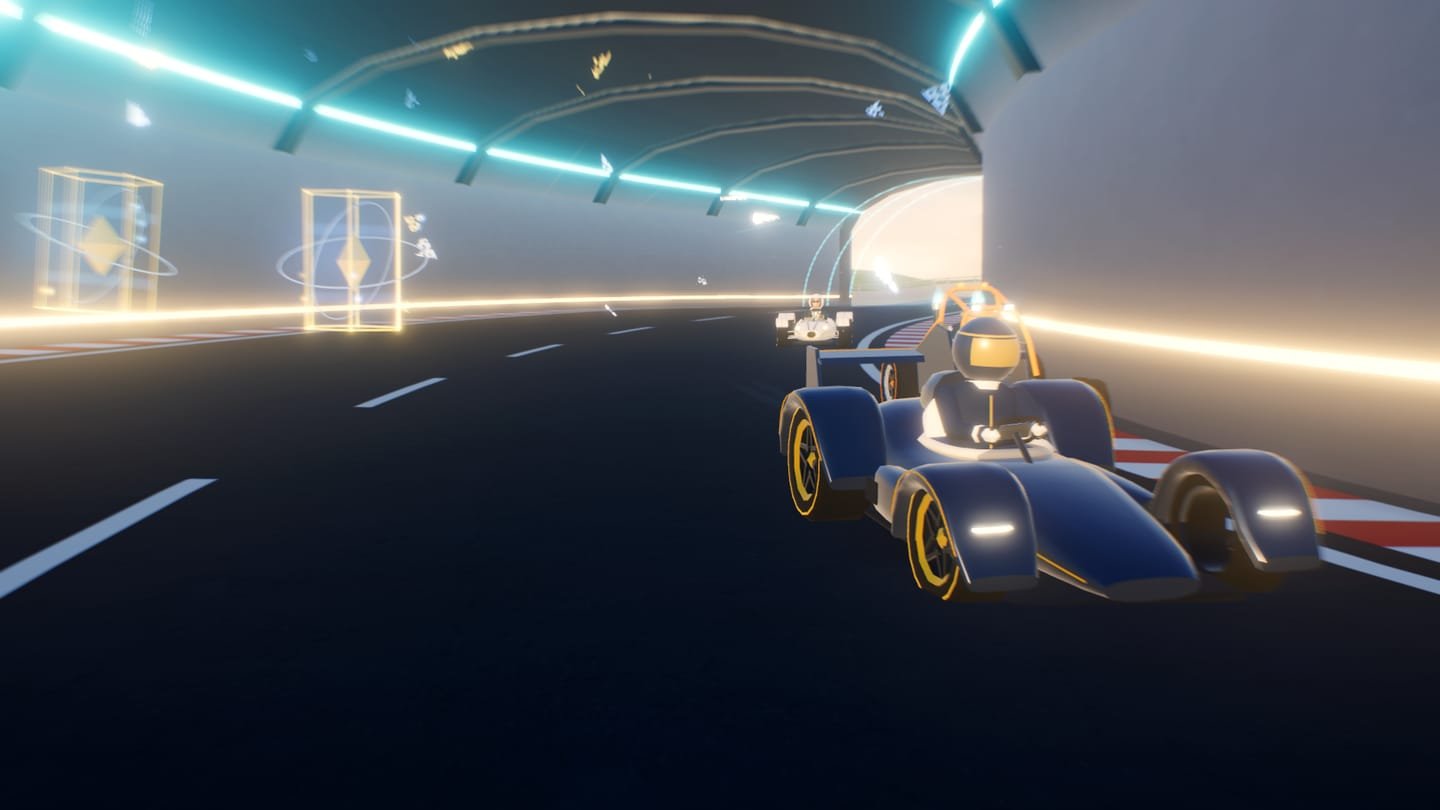
A 3D arcade racer that runs in your browser. Eight drivers, each with their own kart, three laps through a Caribbean of the future, and an AI that races on the same physics you do. No downloads, no sign-up.
This device doesn't have the graphics acceleration (WebGL) the game needs. Try another browser or device; below you'll find how it works.
On the grid
What it is
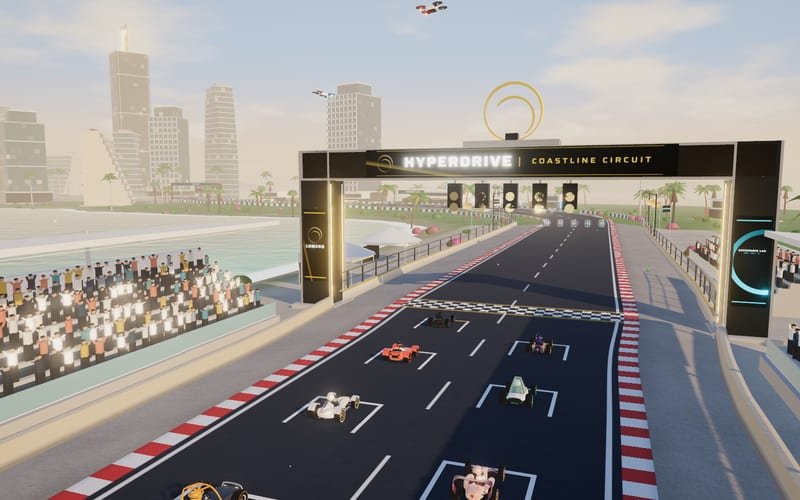
LUM360 HyperDrive is a kart racer with the physics, camera, and pacing of a console arcade game, but it runs right inside this page: WebGL, Three.js, and a custom engine. You pick a driver, start mid-grid, and have three laps to fight your way to the front on the LUM360 Coastline Circuit.
It's Experiment 006 from LUM360 Lab. Each driver represents a type of business that could work with us, and the circuit, the characters, and the sponsorship are separate from the engine: the same game can be reskinned with another brand's track, characters, and campaigns.
How to play
Steering depends on speed: stay smooth on the straights and commit in the corners. Going off track slows you down.
Press drift in a corner: the energy shifts from blue to gold to violet. When you let go, the mini-turbo is proportional to what you charged.
The holographic prisms hand out items based on your position: last place gets more help, and first place almost never gets powerful weapons.
Controls
Best in landscape. The screen doesn't scroll during a race.
The cast
Each driver has a vehicle with a design of its own. The bars aren't decoration: speed, acceleration, handling, and weight really do change how the kart behaves. No one dominates: they all add up to a similar total, distributed differently.
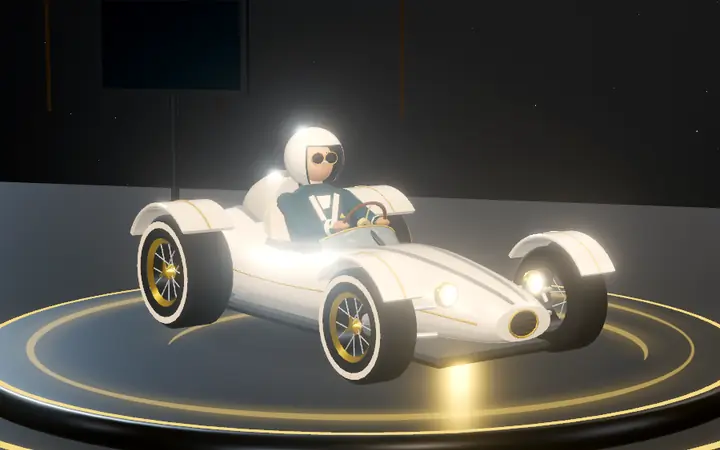
Valentina Meridian · Hospitality · Resorts
Kart Meridian GT
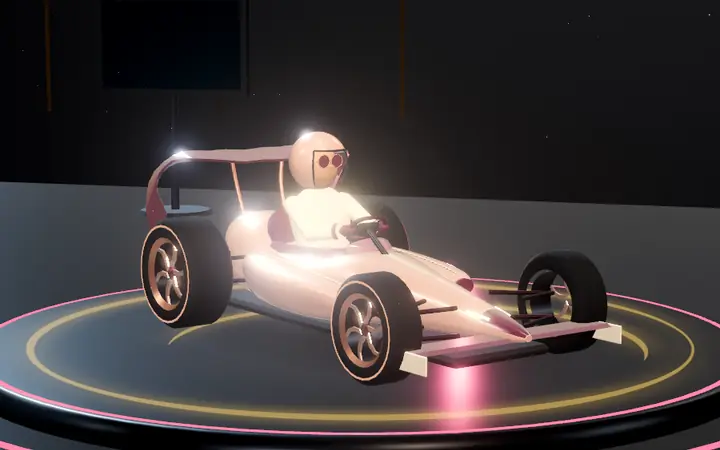
Isla Ventura · Destination Weddings · Events
Kart Aria Sprint
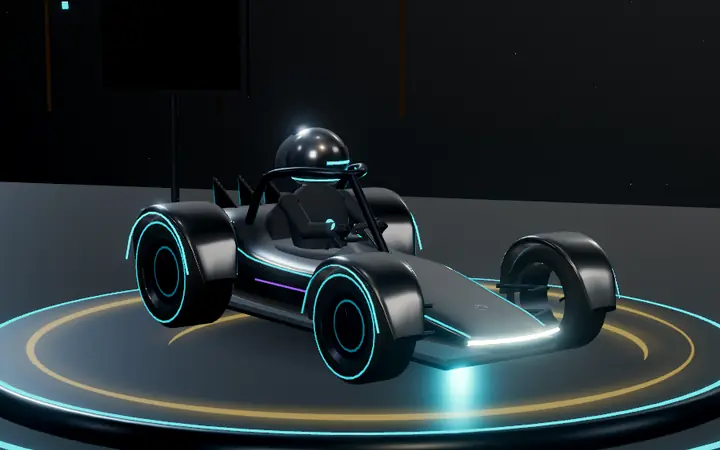
Kai Volta · Technology · Startups
Kart Volt One
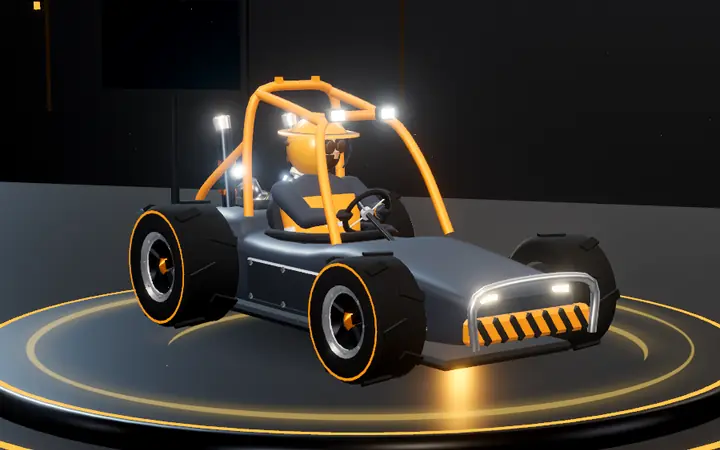
Bruno Ferrata · Industrial · CNC Manufacturing
Kart Forge M9
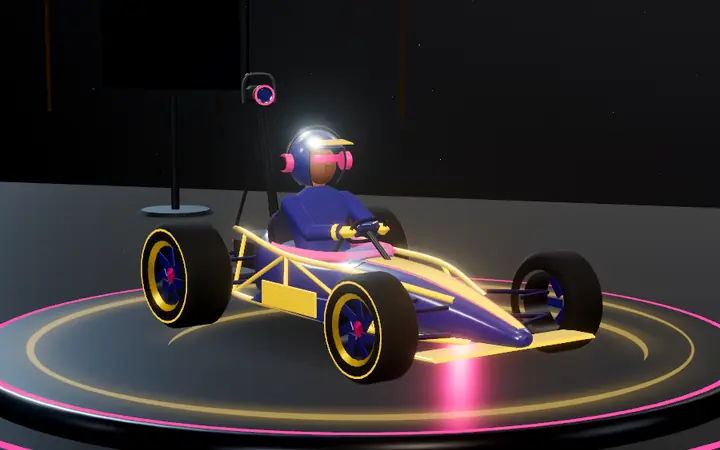
Nico Lumen · Video · Photography · Content
Kart Lens RS
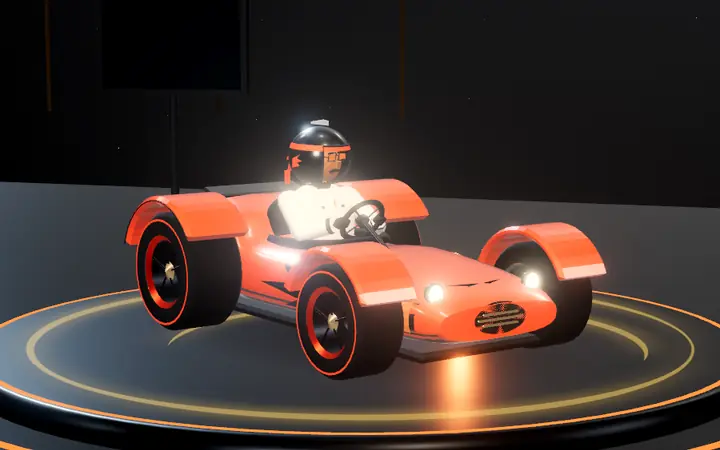
Rafa Brasa · Restaurants · Dining
Kart Ember Cub
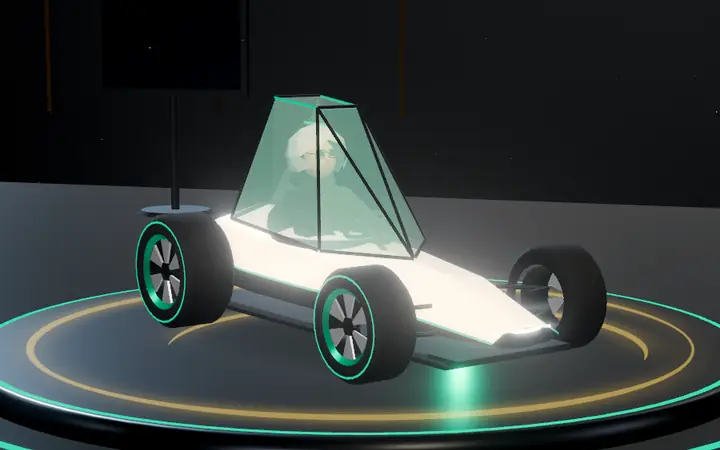
Aiko Plano · Real Estate · Architecture
Kart Prisma
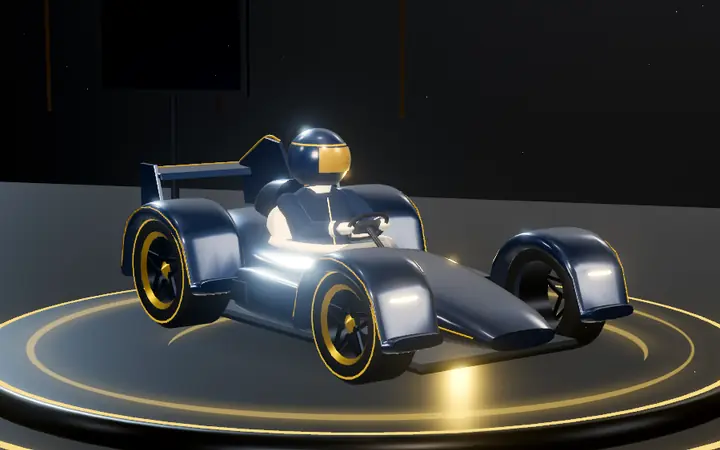
Sofía Vector · Marketing · Growth · Leadership
Kart Apex Tourer
The circuit
A two-to-three-minute run through the Tech Riviera: a start in front of the LUM360 Experience Lab, a hotel district, a bridge over the Caribbean, a digital tunnel, a stretch of high-tech jungle, a marina, and a final boulevard. Expect ramps, boost pads, risky shortcuts, and off-track stretches.
It's built for drifting: the long sweepers charge mini-turbos, and the hairpins reward anyone who brakes on time.
Game circuits
Tech Riviera
Start Grid · LUM360 Experience Lab · Hotel District · Caribbean Bridge · Digital Tunnel · Jungle Tech · Marina Curve · Final Boulevard
Riviera Maya · caves and jungle
Start Grid · Root Esses · Stepped Temple · Hanging Bridge · Cenote Rim · Cave Descent · Cenote Basin · Root Gallery · Switchback Climb · Canopy Run
Hotel Zone · night
Neon Boulevard · Laser Chicane · Lagoon Causeway · Palm Promenade · Light Tunnel · Plaza Hairpin · Lantern Garden · Marina Esplanade · Finish Boulevard
Las Coloradas · midday
Salt Works · Evaporation Ponds · Salt Mound · Pump Dike · Flamingo Straight · Lagoon Sweep · Crystal Straight · Final Sweep
Industrial · CNC and steel
Start Grid · Steel Yard · Press Alley · Production Hall · Lava Bridge · Crucible · Cooling Yard · Cooling Line · Finishing Mill
Cliffs · sunrise
Ceremonial Plaza · Coast Ascent · Cliff Edge · The Cove · Mountain Pass · Rock Tunnel · The Ruins · Ceremonial Plaza


Items
Items come out of LUM Cubes and are unlike any classic: every one has a counter. Whoever is behind gets more help; whoever is ahead, almost never.
A short burst of speed.
Counterplay: Use it on straights or to get out of the sand.
Three boost charges, with a brief pause between each.
Counterplay: Spread the charges across corners and straights.
Drops a holographic decoy behind you: anyone who touches it spins out. It also stops a DRONE that's chasing you.
Counterplay: It glows violet and is visible from a distance: dodge it, jump it, or drive through it with a shield.
Electromagnetic ring: rivals within 22 m lose power and can't drift for 2.6 s.
Counterplay: Short, visible range: get away from the ring or activate a shield.
A drone chases the racer directly ahead of you.
Counterplay: Jump right before impact, turn hard so it crashes into a wall, drop a decoy, or use a shield.
A 6 s geodesic shield that blocks one hit.
Counterplay: It blocks a single hit: the next one lands.
A big speed boost for 3.2 s.
Counterplay: At that speed, control gets harder: brake before tight corners.
Jams the HUD and steering of nearby rivals (35 m) or whoever is ahead (60 m) for 3.2 s.
Counterplay: It's brief, and a shield blocks it. Correct gently.
A wave that travels forward along the track and launches the rivals it reaches.
Counterplay: Jump (drift button) right as it reaches you, or activate a shield.
Grid is set
Made in the Experience Lab
HyperDrive exists to show what can be built: 3D experiences in the browser that feel like a video game, with fixed-timestep physics, AI, procedural audio, true touch controls, and adaptive quality. Everything is generated with code on your device; it downloads no models, textures, or music.
If your hotel, your restaurant, your plant, or your real estate development needs something like this, let's start with a conversation.
For everyone
Pick one of eight drivers and race three laps against seven AI rivals. Accelerate, brake, and steer; press drift in the corners to charge a mini-turbo, and grab LUM Cubes to get items. On keyboard, use W A S D or the arrow keys, Space to drift, and E or Shift to use your item; on mobile there are touch controls; it also works with a gamepad.
Two to three minutes: three laps around the LUM360 Coastline Circuit.
Yes. It has full-screen touch controls (a virtual steering wheel on the left, accelerate and brake on the right, plus drift and item buttons) and an auto-accelerate option. We recommend playing in landscape.
It's free, with no ads and no sign-up. Your settings and best times are saved only on your device.
No. The AI uses the same physics you do. There is moderate pace balancing to keep races close, but you can win cleanly on all three difficulties: Casual, Pro, and Expert.
TypeScript and Three.js (WebGL). The entire world, the vehicles, and the audio are generated on your device with code; no models, textures, or music are downloaded.
The characters, vehicles, circuit, music, and interface of LUM360 HyperDrive are original LUM360 creations and are not affiliated with any other racing brand or franchise.
LUM360 HYPERDRIVE
LOADING ENGINE
0%
Everything is generated on your device · no heavy downloads
Your device couldn't start the game. You can retry or go back to the Lab.